PDFs have become the standard format for sharing documents across different platforms and devices. However, many people aren't aware that there are actually multiple PDF formats—and choosing the right one matters more than you might think. In this guide, we'll break down the differences between standard PDF and PDF/A, and help you understand when to use each format.
What is a Standard PDF?
A PDF (Portable Document Format) is a universal file format created by Adobe that preserves the layout, fonts, and formatting of a document regardless of what software or operating system is used to view it. When you export a Word document, spreadsheet, or presentation as a PDF, you're creating a standard PDF file.
Standard PDFs are incredibly flexible and widely supported. They can contain interactive elements like forms, buttons, and multimedia content (videos, audio, embedded files). This makes them perfect for everyday use—sharing reports, creating fillable forms, or distributing digital magazines.
What is PDF/A?
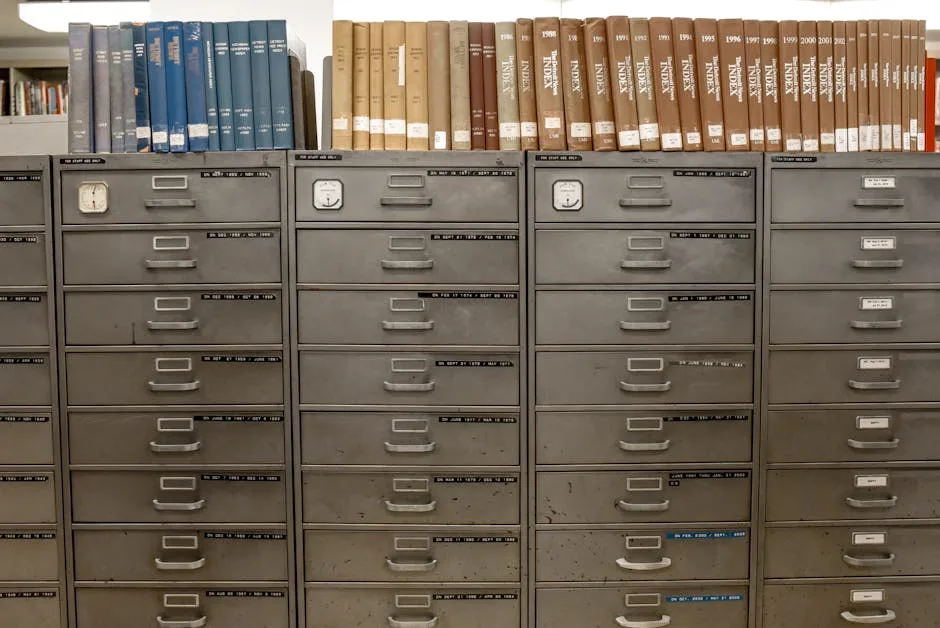
PDF/A is a specialized version of PDF designed specifically for long-term archival and preservation. The "/A" stands for "Archive." Unlike standard PDFs, PDF/A files are self-contained and stripped of features that could become obsolete or unreliable over time.
PDF/A was standardized by the International Organization for Standardization (ISO) to ensure that documents can be reliably opened and displayed exactly as originally created, even decades from now. This is why government agencies, law firms, financial institutions, and archives prefer PDF/A for important records.
Key Differences Between PDF and PDF/A
Embedded Fonts
In PDF/A, all fonts used in the document must be embedded within the file itself. Standard PDFs can reference external fonts, which might not be available when someone else opens the file on their computer. If the exact font isn't available, the document might render differently than intended.
No External Links or References
PDF/A files cannot contain links to external websites, files, or online content. This ensures the document remains complete and functional even if those external resources disappear. Standard PDFs can link freely to websites and files.
No Interactive Elements
While standard PDFs can include interactive forms, buttons, and multimedia content, PDF/A strips these out. Forms in PDF/A are essentially "frozen"—they can't be filled interactively. This limitation ensures the document will look and function identically in the future.
No Encryption or Password Protection
PDF/A doesn't support password-based encryption or permissions. This might sound like a security downside, but it actually ensures the document can always be accessed in the future without worrying about lost passwords or changing encryption standards.
Transparency and Color Space
PDF/A has stricter rules about transparency and color spaces. This prevents rendering issues and ensures colors are accurately reproduced, even years later.
When to Use Standard PDF
Use standard PDF for most everyday purposes:
- Sharing reports, presentations, and documents with colleagues
- Creating fillable forms or interactive documents
- Digital marketing materials and brochures
- Temporary documents that won't be archived long-term
- Documents with multimedia content or external links
- Web content and email attachments
When to Use PDF/A
Use PDF/A when long-term preservation and compliance matter:
- Legal documents and contracts
- Financial records and tax documents
- Government and regulatory compliance files
- Medical and healthcare records
- Archival documents and historical records
- Intellectual property documentation
- Any document you need to preserve exactly as-is for decades
How to Convert PDF to PDF/A
Converting a standard PDF to PDF/A is straightforward. Our PDF to PDF/A converter handles the conversion instantly, ensuring all your fonts are embedded and the document meets archival standards.
Simply upload your PDF, and the tool will automatically convert it to PDF/A-1b or PDF/A-2b format (the most commonly used variants). You'll get a file that's guaranteed to remain readable and unchanged for centuries.
If your PDF contains external links or interactive elements, the converter will handle them appropriately—external links will be removed, and interactive forms will be flattened. This is the standard behavior expected for archival documents.
Pro Tips for PDF Management
If you're managing both standard PDFs and PDF/A files, here are some workflow tips:
Use standard PDF as your working format. Create and edit documents as regular PDFs while they're active. Once they're final or need long-term storage, convert to PDF/A.
Flatten forms before archiving. If you're archiving a PDF with forms, flatten it first to lock in all data and ensure it displays identically everywhere.
Compress before conversion. If file size matters, compress your PDF before converting to PDF/A. This keeps archival files more manageable.
Keep metadata intact. When converting to PDF/A, ensure important metadata (author, creation date, document title) is preserved. This helps with searchability and organization in large archives.
Final Thoughts
PDF and PDF/A both serve important purposes—they're not competing formats, but rather tools for different jobs. Standard PDF excels at flexibility and sharing, while PDF/A excels at preservation and compliance. Understanding when to use each format ensures your documents are stored appropriately and will be accessible exactly as intended, whether that's tomorrow or fifty years from now.
For documents that need to stand the test of time, PDF/A is your answer. Convert yours today and rest assured your important records are truly preserved.