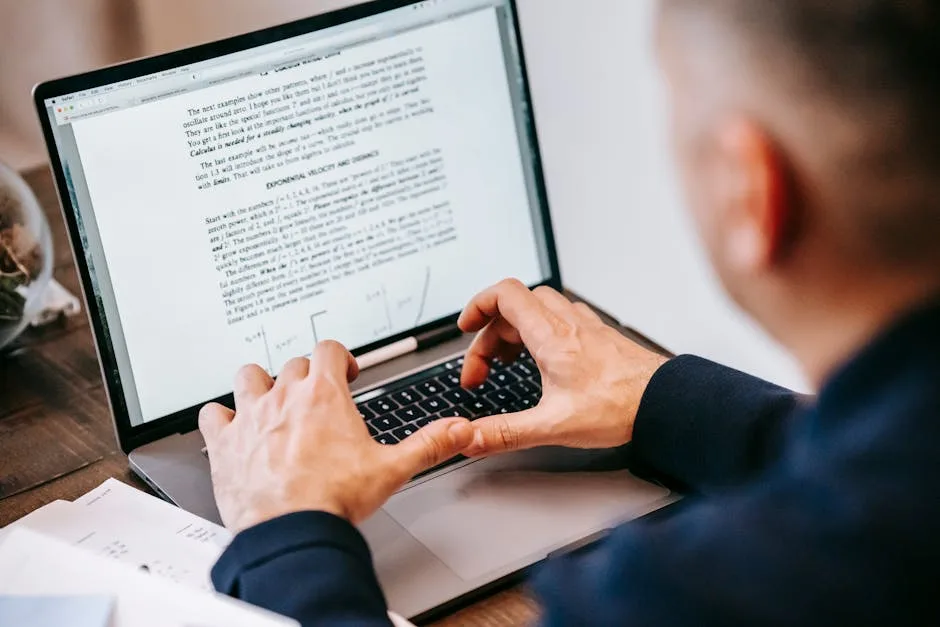
Editing PDFs no longer requires expensive desktop software. Today, free PDF editors online have become powerful enough to handle most common editing tasks directly from your browser. In this comprehensive 2026 guide, we analyze the best options available, comparing features, limitations, and which tool is right for each use case.
The good news? Most of the best solutions are completely free, require no sign-up, and work on any device with a browser. Whether you need to add text, signatures, images, or merge documents, you'll find a solution that works perfectly for your needs without spending a dime.
What is a Free PDF Editor Online?
A free online PDF editor is a web application that allows you to modify PDF documents without downloading or installing software. Unlike desktop programs, these tools work directly in your browser. You simply:
- Upload your PDF file to the web application.
- Edit directly in the browser (add text, images, shapes, signatures).
- Download your modified PDF with all changes applied.
- All processing happens securely on remote servers with automatic file deletion.
Why choose online editors over desktop software?
- No installation needed: Works on Windows, Mac, Linux, Android, and iOS from any browser. Zero setup required.
- Always free: No paid versions, no watermarks, no trial limitations, no subscription surprises.
- Privacy-focused: No file storage. Files are automatically deleted after download or after 1 hour on secure servers.
- Instant updates: New features and security patches are available immediately for all users without waiting.
- Device-agnostic: Work on your laptop, tablet, or phone without syncing or software conflicts.
- Zero maintenance: No updates to download, no system requirements to check, no compatibility issues.
Best Free PDF Editors Online in 2026
1. Herramientas Gratis — ToolBox PDF Editor
Our own PDF editor at herramientasgratis.com combines simplicity with professional features, making it ideal for most users who need fast, reliable editing without complications:
- Add text fields: Insert text boxes with custom fonts, sizes, and colors directly on any PDF page.
- Draw and annotate: Use freehand drawing tools, lines, shapes, rectangles, and circles to mark up documents.
- Add images and signatures: Upload images or draw your signature electronically without special hardware.
- No registration required: Start editing immediately without creating an account or sharing email addresses.
- Instant download: Save your edited PDF within seconds with all changes preserved perfectly.
- Full privacy: Files are automatically deleted from our servers after download, no logging.
- Unlimited edits: No monthly limits, no task restrictions, edit as many PDFs as you need.
Best for: Small businesses, students, professionals who need quick edits without complications. Perfect if you value privacy and speed equally.
2. Smallpdf
One of the most popular free PDF editors online, Smallpdf offers a clean interface and powerful tools trusted by millions worldwide:
- Edit text and add detailed annotations, drawings, and comments.
- Insert images, stamps, and sign documents electronically with ease.
- Compress, merge, and split PDFs in the same unified platform.
- Requires registration for multiple edits (free tier has limitations).
- Desktop app also available for offline work and batch processing.
- Mobile apps for iOS and Android provide editing on the go.
Limitation: The free version has task limits (2 per hour). Premium required for unlimited editing and advanced features. Registration required even for basic use.
3. iLovePDF
iLovePDF stands out for its combination of editing and conversion tools, making it a one-stop solution for PDF workflows:
- Edit PDF directly: add text, draw, insert images, sign documents with professional appearance.
- Merge, split, rotate, and compress PDFs with advanced options.
- Convert PDFs to and from Office formats (Word, Excel, PowerPoint) and image formats.
- Free tier includes 5 tasks per month for casual users.
- Premium starts at $6/month for unlimited tools and advanced features.
- OCR capabilities available on premium plans.
Best for: Users who need both editing and conversion capabilities in a single platform. Registration required but free tier available for getting started.
4. PDFtk (Online Version)
A specialized tool for advanced PDF operations, PDFtk focuses on document processing rather than visual editing:
- Fill PDF forms automatically with data or manual entry.
- Merge, split, and rotate PDFs with precision.
- Flatten forms and remove passwords from protected documents.
- Focused on document operations rather than visual editing and annotations.
- Completely free with no registration required.
- Perfect for batch operations and form processing workflows.
Best for: Form-heavy workflows, batch operations, and users working with structured document processing. No frills, pure functionality.
5. PDF Candy
A comprehensive free PDF toolkit with editing features and an extensive suite of document tools:
- Edit PDF: add text, shapes, images, and watermarks with full customization.
- Merge, split, rotate, and compress PDFs to reduce file size.
- Convert to and from multiple formats including Office documents and images.
- Extract images and text from PDFs for reuse in other documents.
- Completely free with no registration needed to get started.
- All tools accessible from one clean, intuitive interface.
Best for: Users who need an all-in-one PDF solution with multiple tools in one place. Perfect for users wanting variety without jumping between sites.
6. DocHub
Modern interface with strong focus on document workflow and team collaboration:
- Edit text and add shapes, drawings, and annotations with precision tools.
- Sign documents electronically with legally-binding digital signatures.
- Collaborate with others in real-time on shared documents (requires account).
- Free tier available with basic editing features for individual use.
- Cloud storage integration with Dropbox, Google Drive, and Box.
- Template library for common document types and workflows.
Best for: Teams collaborating on PDF documents and organizations needing workflow management. Free tier sufficient for basic editing needs.
Free vs. Premium PDF Editors: What's the Real Difference?
Free online PDF editors typically include:
- Basic text and drawing tools for annotations.
- Ability to add images and digital signatures easily.
- Merge, split, rotate, compress functions.
- No watermarks or file size limits on uploads.
- Sufficient for 90% of typical PDF editing tasks.
Premium versions usually add:
- Unlimited monthly tasks and edits without restrictions.
- Advanced OCR (optical character recognition) for scanned documents.
- Batch processing for editing multiple files automatically.
- Form field creation and advanced form automation tools.
- Priority customer support and priority processing.
- Advanced security and permission controls for teams.
- Custom branding and white-label options for businesses.
Reality check: For 90% of users, the free tools are completely sufficient. Premium is only necessary if you're processing dozens of PDFs daily or need enterprise features like batch automation and advanced OCR.
Common Editing Tasks and Recommended Tools
Task: Fill out a PDF form
Best tools: Herramientas Gratis PDF Editor, PDFtk, iLovePDF. Most online editors can fill forms, but PDFtk specializes in advanced form operations and batch filling. Herramientas Gratis offers the simplest interface for occasional form filling.
Task: Add your signature to a document
Best tools: Any of the editors above allow drawing signatures. Herramientas Gratis, Smallpdf, and DocHub make this particularly simple and intuitive. You can draw your signature freehand, type it in a stylized font, or upload an image of your handwritten signature.
Task: Add text annotations or comments
Best tools: Herramientas Gratis PDF Editor offers straightforward text annotation. If you need sticky notes and detailed annotations with color coding, iLovePDF and Smallpdf are better choices with more annotation features.
Task: Combine multiple PDFs with edits
Best approach: Use a dedicated merge tool first to combine files, then edit the result. Herramientas Gratis offers both merge and edit tools separately, as does PDF Candy. This two-step approach gives better results.
Task: Remove or obscure sensitive information
Best tools: Use our PDF redaction tool to permanently erase data. Most general editors don't specialize in redaction. For true redaction (not just covering text), dedicated redaction tools are safer than overlaying white boxes.
Task: Reduce file size for email or sharing
Best tools: Use our PDF compression tool to reduce file size without losing quality. This is essential before emailing large PDFs or uploading to limited storage.
How to Choose the Right Free PDF Editor
Ask yourself these questions to find the perfect tool:
Do you need "no sign-up"?
If privacy and simplicity matter most, choose Herramientas Gratis, PDF Candy, or PDFtk. They require zero registration and delete files immediately after download. No account, no email, no data collection.
Do you need a one-stop shop?
If you want editing, merging, splitting, and compression all in one place without switching tools, iLovePDF or PDF Candy are better choices. Single interface, multiple capabilities.
Do you collaborate with others?
DocHub and Smallpdf offer collaboration features, though these typically require accounts and paid plans for advanced sharing and real-time collaboration with multiple team members.
Do you work with lots of forms?
PDFtk and iLovePDF have superior form-handling capabilities compared to general editors. If 80% of your work involves forms, these tools will save you time.
How important is privacy?
All tools here are legitimate, but Herramientas Gratis explicitly deletes files immediately and doesn't require registration. This is optimal if you're working with sensitive documents.
Step-by-Step: How to Edit a PDF Online
Here's a basic workflow using Herramientas Gratis (works similarly with other tools):
- Go to the editor: Visit herramientasgratis.com/en/edit-pdf from any browser.
- Upload your PDF: Drag and drop your file or click the browse button to select from your computer.
- Select editing tool: Choose text, drawing, image, or signature tool from the toolbar at the top.
- Make your edits: Click on the PDF to place text boxes, draw shapes, or add images as needed.
- Fine-tune: Adjust colors, fonts, sizes, and positions until everything looks perfect.
- Review: Carefully review your edited PDF before downloading to ensure all changes are correct.
- Download: Click "Download" to save your edited PDF to your computer with all changes preserved.
Pro tip: For complex multi-page edits, use your browser's zoom feature to work on smaller details. Keep your original PDF backed up before editing, just in case you need to start over.
Privacy and Security: How Safe Are Online PDF Editors?
This is the most common concern when using online tools. Here's what happens with legitimate free editors like ours:
- Encrypted transmission: All files travel over HTTPS (secure connection) between your device and the server. Military-grade encryption protects your data in transit.
- No logging: Reputable tools don't store your PDFs or even log what you edit. No history, no records.
- Automatic deletion: Files are deleted immediately after download or after a timeout (typically 1 hour). Temporary files are overwritten on server storage.
- No AI training: Your PDFs are never used to train AI models or improve services. Your data is not a product.
- No third-party sharing: Your data is never sold, shared with advertisers, or handed to other companies. Period.
- No cookies or tracking: Legitimate tools don't use tracking pixels or cookies to follow you across the web.
Best practice: Use established, well-known tools like those listed above. Avoid suspicious "PDF editors" from unknown sources or those that require registration for basic functions. Stick with tools from recognized companies or platforms like Herramientas Gratis that explicitly state their privacy policies.
Our commitment: At Herramientas Gratis, we process your PDFs only to give you the result you request, and we delete them permanently. We never store them, never analyze their content, and never use them for any other purpose. Your privacy is our priority.
Common PDF Editing Mistakes to Avoid
Mistake 1: Not backing up the original
Always keep the original PDF unchanged in a safe location. Editing directly on your only copy is risky and leaves no way to revert if something goes wrong. Download the edited version with a new descriptive name like "original-name-edited-2026-04-17.pdf".
Mistake 2: Assuming "deleting" text really removes it
Simply placing a white box over text doesn't truly delete it from the PDF structure. Viewers with the right tools can still see the original underneath. Use actual redaction functions for truly sensitive information, or use our dedicated redaction tool.
Mistake 3: Ignoring file size
Adding high-resolution images to a PDF can quickly increase file size to several megabytes. If you need to email the result or share via limited services, compress it afterward to reduce size by 50-80% without noticeable quality loss.
Mistake 4: Forgetting to check the final result
Always download and open the edited PDF to verify all changes rendered correctly before sending it to others. Check that text positions are correct, images display properly, and nothing was corrupted during editing, especially when mixing multiple elements.
Mistake 5: Using personal data in test PDFs
Don't test edits on PDFs containing real personal information, financial data, or sensitive details. Create a test PDF with dummy data instead to verify everything works before editing your real documents.
Advanced Editing: When You Need More
For occasional users, free online editors are perfect. But if you find yourself editing PDFs daily or need advanced features like:
- Advanced OCR (converting scanned PDFs to editable text with high accuracy).
- Form field creation and template building for reusable documents.
- Batch processing (editing multiple PDFs automatically with the same changes).
- Custom workflows and automation with API access.
- Advanced security controls and permission management for teams.
- Version control and document audit trails.
Then you might consider premium tools like Adobe Acrobat Pro ($12.99/month), or open-source desktop alternatives like LibreOffice for local editing. However, for the vast majority of PDF editing tasks—95% of typical use cases—the free online editors are more than adequate and often better due to simplicity and privacy.
The Verdict: Best Free PDF Editor Online in 2026
For simplicity and no sign-up: Herramientas Gratis PDF Editor wins decisively. Instant results, no registration required, no watermarks, maximum privacy, unlimited edits. Perfect for anyone wanting straightforward editing without complications.
For the most features: iLovePDF or PDF Candy offer the broadest range of tools (editing, conversion, compression, merging) in one unified platform. Choose iLovePDF for conversion power or PDF Candy for no registration.
For form specialists: PDFtk excels at complex form operations, batch processing, and structured document workflows. Best for professional form handling.
For collaboration: DocHub offers the best real-time collaboration features on the free tier. Teams editing together benefit most here.
The best PDF editor for you depends on your specific needs. But if you're just looking for a reliable, fast, no-fuss way to edit a PDF right now? Our free PDF editor gets the job done in seconds without any complications or restrictions.
Edit Your PDF Now — Completely Free
Add text, images, signatures, and drawings. No registration, no hidden limits, no watermarks, no tracking.
Start editing →